Free sample · no email · 2,680 of 15,421 words
The Rag & Knowledge Base Playbook
The opening of the playbook as your AI agent reads it. The full volume adds the step-by-step playbook, the prompts, the checklist and the sources.
1. The problem
Why this matters now
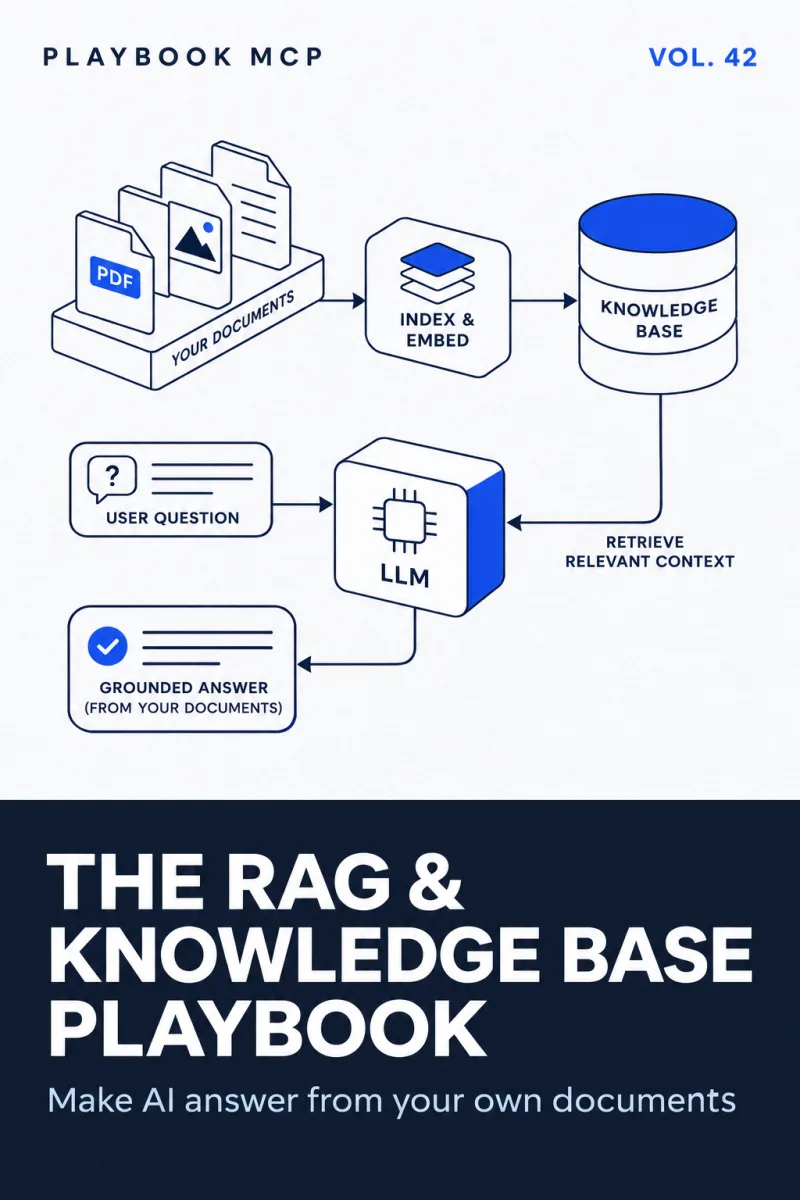
AI answers now sit in front of customers and staff by default: support widgets, internal help desks, sales assistants, policy lookups, and coding agents that read internal docs. A general model does not know your refund policy, your API’s breaking changes or your HR handbook. Retrieval-augmented generation (RAG) is the standard fix. You retrieve relevant passages from your own documents and give them to the model along with the question, so it answers from your content instead of from memory. The original RAG research paired a language model with a retrieved external memory [1]. Modern implementations vary widely, so treat RAG as an architecture pattern, not a product.
The basic idea has not changed since 2020. The tooling and the surrounding rules have changed a lot:
- Managed RAG became a commodity. OpenAI’s file search runs inside the Responses API, with configurable chunking, attribute filters and ranking options [8]. OpenAI deprecated the Assistants API and announced its shutdown for 26 August 2026, so tutorials built on threads and
tool_resourcesare out of date [9]. Google launched the File Search tool in the Gemini API on 6 November 2025, with managed chunking, embedding and retrieval [10]. - Agentic retrieval went mainstream. Anthropic’s context engineering guidance (September 2025) describes agents that keep lightweight references and load data “just in time” with tools such as search, glob and grep, instead of pre-loading everything through one vector lookup [4]. For codebases and well-organised folders, an agent with good search tools now competes with a classic vector pipeline.
- Long context did not replace retrieval. Chroma’s July 2025 “Context Rot” study of 18 models found that performance grew less reliable as input length increased, even on simple tasks [5]. Lost in the Middle found that the models it tested used information at the start and end of a long input better than information in the middle [6]. Li and colleagues found that long-context models could outperform RAG on average when resourced well enough, while RAG cost much less [7]. Read these as reasons to compare approaches on your own data, not as verdicts about every current model.
- Better building blocks. Contextualised chunk embeddings (for example Voyage’s voyage-context-3, July 2025) encode document context into each chunk’s vector [20]. pgvector 0.8 added iterative index scans, which fix filtered queries that return too few rows [13]. Anthropic’s API can cite passages you supply, through document blocks and
search_resultblocks [11][12]. - Security and regulatory expectations got specific. The OWASP Top 10 for LLM Applications 2025 lists prompt injection (LLM01) and added Vector and Embedding Weaknesses (LLM08) as its own risk [25][26]. The EU AI Act’s Article 50 transparency obligations generally apply from 2 August 2026 [34]. The EDPB published a report on privacy risks in LLM systems, including RAG, in April 2025 [31].
What usually goes wrong
“Hallucination” is too vague to fix. Most failures belong to a specific layer, and each layer has its own first thing to check:
| Failure layer | What went wrong | Typical symptom | First thing to inspect |
|---|---|---|---|
| Source | The authoritative answer is missing or contradictory | Index holds both the 2024 and 2026 policy, unmarked | Source ownership and inventory |
| Ingestion | The answer existed but was lost in extraction | A pricing table flattened into loose numbers | Parsed text, tables, page mapping |
| Retrieval | Relevant evidence was not returned | Error code QX-17 never matched by vector search |
Queries, filters, ranking, candidate limits |
| Context assembly | Retrieved evidence was dropped or distorted | Rule shown without its exception | The final model input |
| Generation | The model misused sufficient evidence | Right passage, wrong conclusion | Claims, instructions, model choice |
| Authorization | Evidence crossed an access boundary | Model told to “only show what the user may see” | Identity, policies, caches, expansions |
| Operations | Correct behaviour went stale | A connector silently stopped syncing | Sync status, versions, deployments |
Google’s sufficient-context research separates two questions: does the retrieved material contain enough information to answer, and does the model use it correctly [3]? That gives you a practical diagnostic. When evidence is missing, improve retrieval. When sufficient evidence is present and the answer is still wrong, look at generation.
Two other failures cut across the layers. No one can tell whether it is improving, because there is no evaluation set and changes are judged by spot checks in a demo. And cost and latency creep, because top-k is set high “to be safe”, every query goes to the largest model, and nothing is cached.
The legal stakes are real. In Moffatt v. Air Canada (2024 BCCRT 149), a British Columbia tribunal held the airline responsible for its website chatbot’s incorrect statement about bereavement fares. It rejected the argument that the chatbot was responsible for its own words, and found the airline did not take reasonable care to make sure its chatbot was accurate [29]. The damages were small. The principle matters: your assistant’s answers are your organisation’s statements.
What good looks like
Good performance does not mean answering everything. It means answering the agreed questions reliably, declining unsupported requests usefully, and making failures visible. A good knowledge assistant:
- answers a defined set of question types and declines the rest politely, with a route to a human;
- retrieves sufficient evidence for the large majority of in-scope questions on your own evaluation set (you set the exact target in 4.1);
- supports every material claim with a citation that resolves to the passage supporting it;
- never shows users content they cannot already open in the source system;
- reflects document changes and permission changes within a known, measured delay;
- is measured continuously, and every change is tested against a fixed evaluation set before it ships;
- has named owners who can detect, diagnose and roll back a regression.
Define the outcome for your workflow before you optimise retrieval scores. For an internal engineering assistant, “good” might mean finding the current deployment procedure with its prerequisites. For customer support, it might mean faster correct resolutions with fewer policy mistakes.
2. Before you start
Choose one initial workflow. “Answer questions about our company” is too broad. “Help authenticated support staff answer current product-configuration questions from approved documentation” is a workflow you can build. Do not upload the whole company drive to see whether the idea works. Start with the smallest collection that supports the chosen workflow, and expand when the evaluation shows a need.
Name four owners, even if one person holds several roles:
- Product owner: decides which tasks the assistant supports.
- Knowledge owner: resolves contradictions and approves authoritative content.
- Technical owner: maintains ingestion, retrieval, deployment and monitoring.
- Risk owner: approves access, retention and escalation requirements, and can stop or roll back the service.
Inputs to collect
- A list of knowledge sources: help centre, Notion or Confluence, Google Drive, SharePoint, PDFs, ticket history, API docs, code, databases.
- For each source: owner, format, size (pages or tokens), languages, update frequency, and access model (who may read what). Note scans, tables, diagrams and attachments.
- 50 to 200 real questions from intended users, taken from support tickets, sales emails, chat threads and search logs, in their original wording. Real questions matter more than invented ones.
- Expert answers to those questions, or the passages that contain them.
Access and accounts
- Read access to each source through an official API, licensed export or approved connector, under that platform’s terms.
- An LLM provider (Anthropic, OpenAI, Google or a self-hosted model) with data processing terms that fit your data.
- An embedding model, unless you use a managed file search that embeds for you.
- Index storage: a managed vector store, Postgres with pgvector, a search engine (OpenSearch, Elasticsearch, Azure AI Search) or a dedicated vector database.
- A place to log queries, retrieved evidence IDs, answers and feedback, with a retention policy.
Decisions
- Who the users are (customers, staff or both) and how they authenticate.
- Which question types are in scope and which must be declined (for example individual legal, medical or tax advice, account changes, pricing negotiations).
- What happens when the assistant cannot answer: hand-off to a human, a ticket form, or a search results page.
- Which data must never enter the index: secrets, payment data, health data, HR files, anything you have no lawful basis to process.
- Budgets: cost per answer, p95 latency, and monthly operating cost.
Intake checklist
- Initial workflow and user group written down
- Source inventory with owner, format, size, language, update frequency and access model for each source
- Each source’s terms checked to confirm export and AI processing are allowed
- Excluded data classes listed in writing
- At least 50 real user questions collected, with their origin noted
- A subject expert named for each source, available to review answers
- Authentication model and tenant, group and document access rules documented
- In-scope and out-of-scope question types written down
- Fallback path for unanswered questions decided
- LLM and embedding providers chosen and data processing terms reviewed
- Storage and processing regions match your data residency needs
- Retention set for documents, derivatives and logs
- Required delay for revoked access and deletions to take effect agreed
- Cost and latency budgets agreed
- Person who can stop or roll back the service named
Decision record
Workflow:
Primary users:
Business outcome:
Included questions:
Excluded questions:
Authoritative sources and precedence:
Permission model:
Freshness requirement (content):
Freshness requirement (permissions):
Escalation destination:
Evaluation owner:
Release approver:
Monthly operating budget:
Approved external processors and regions:
Settle data and legal questions before ingestion. This is practical information, not legal advice. Ask counsel or your privacy lead to assess your actual use, jurisdiction and contracts.
- Where GDPR applies, the principles of purpose limitation, data minimisation, accuracy, storage limitation, security and accountability apply to the processing behind your assistant [33]. A document being available internally does not make every new use of it lawful. Record why each collection is needed and what can be excluded.
- Do not label embeddings or AI outputs “anonymous” without analysis. The EDPB’s Opinion 28/2024 requires a case-by-case assessment of anonymity and legal basis for AI models [32]. Embeddings of sensitive text are themselves sensitive (see 4.8).
- The UK ICO’s position is that how accurate generative AI output must be depends on its purpose. Output that people rely on as fact has a higher bar [30]. Check the ICO’s current guidance directly, since parts are under review after the Data (Use and Access) Act.
- For EU-facing assistants, review the Article 50 transparency duties [34]. The AI Act timetable has been amended for some obligations, so check the current dates and your system’s classification instead of reusing the original schedule.
3. The method
Nine steps. Each produces a deliverable you can check.
Step 1. Define the job and the answer contract.
- What to do: Write a one-page spec covering users, tasks, in-scope and out-of-scope question types, source precedence, answer states, citation format, tone and numeric targets.
- Why: Without a contract you cannot test, and every disagreement becomes a matter of opinion. Architecture choices depend on what an acceptable answer has to do.
- Done when: A reviewer can sort example questions into answerable, ambiguous, out of scope or restricted, and the product owner and a subject expert have signed a spec whose targets are numbers.
Step 2. Build the evaluation set first.
- What to do: Turn real questions into a versioned test set. Each item has a question, the expected answer state, the required facts, the acceptable evidence, prohibited claims, a user fixture and a category.
- Why: This set decides everything else. Chunking, models and prompts are all chosen by running it. Built later, it ends up flattering whatever you already built.
- Done when: You have at least 100 items (50 for a pilot), at least 15% unanswerable or out of scope, reviewed by an expert, with a held-out test split, stored in version control.
Step 3. Choose the architecture.
- What to do: Choose between full context, managed file search, a custom pipeline, agentic search, and live structured lookup for facts that change. Use the decision rules in 4.3.
- Why: The simplest option that passes your evaluation wins. Many teams build a custom pipeline they did not need.
- Done when: A decision record names the option, the reasons, baseline scores, and the condition that would make you switch.
Step 4. Govern, ingest, parse and clean.
- What to do: Register every source with an owner and access policy. Connect sources, convert documents to structured text, remove duplicates and stale versions, scan for excluded data, and attach metadata and permissions to every document.
- Why: Retrieval cannot fix unclear authority or missing access controls, and bad parsing produces bad chunks.
- Done when: Every source has an owner, processing permission, access policy and lifecycle rule, and 20 parsed documents pass side-by-side review against their originals.
Step 5. Chunk and enrich.
- What to do: Split by document structure, keep headings with their content, keep tables whole, and test adding short situating context to each chunk. Keep provenance on every chunk.
- Why: The chunk is what the model sees. If a chunk cannot stand alone, the answer will be wrong.
- Done when: At least 27 of 30 randomly sampled chunks make sense without the surrounding document, and retrieval recall for each chunking variant is recorded.
Step 6. Index and retrieve.
- What to do: Measure lexical, dense and hybrid baselines. Apply permission and metadata filters inside every search, fuse results, rerank, and pass a small set to the model.
- Why: Hybrid search plus reranking is the most consistently reported improvement over pure vector search, but the best setup depends on your collection [2][15][18].
- Done when: Recall and ranking metrics meet the Step 1 targets, and no permission-restricted test item ever returns restricted evidence.
Step 7. Generate grounded, cited answers.
- What to do: Assemble the evidence deliberately. Require claim-level support, render citations from server-controlled records, and implement answer, partial, clarification, conflict, abstention and service-failure states.
- Why: Retrieval puts the facts in front of the model. The prompt, the answer states and the citation mechanics decide whether it uses them honestly.
- Done when: Faithfulness, citation support and abstention correctness meet the Step 1 targets, and reviewers can check every material claim.
Step 8. Secure and govern.
- What to do: Enforce access in the data path, defend against indirect prompt injection, limit what the assistant can do, run deletion and revocation across every derivative, disclose AI use, and document the system.
- Why: OWASP lists prompt injection and vector-store weaknesses as top LLM risks [25][26]. Privacy regulators expect the same care for RAG as for any other processing of personal data [31].
- Done when: A red-team pass of at least 20 attacks finds no leak and no instruction-following from documents, and deletion and revocation tests pass within your stated time.
Step 9. Launch, monitor and improve.
- What to do: Launch in stages, log every query with its evidence and versions, monitor source health, review failures weekly, add each failure to the evaluation set, and promote index generations only after they pass the evaluation.
- Why: Real users ask questions your test set did not predict, and assistants change whenever their documents, users or dependencies change.
- Done when: A dashboard shows the Chapter 7 metrics, the weekly review has run three times in a row, a rollback has been rehearsed, and the evaluation set has grown from production failures.
Keep going: the full playbook
- Playbook steps
- Prompts
- Checklist
- Measuring results
- Common mistakes
Book + Claude skill + MCP access. Black Friday 2026 price. Back to the book page
Or start free
4 complete playbooks, the 7-day Claude Code course and a key your AI can use right now. No card.
Free. We email you about new lessons and volumes now and then. Unsubscribe any time.
Your free key
Install (Claude Code, Codex, Gemini CLI)
Other apps: add the MCP server https://playbookmcp.com/mcp with header Authorization: Bearer + your key. Keep this key; it is shown once.