Vol. 16 · Published Nov 17, 2026 · Book + Claude skill + MCP
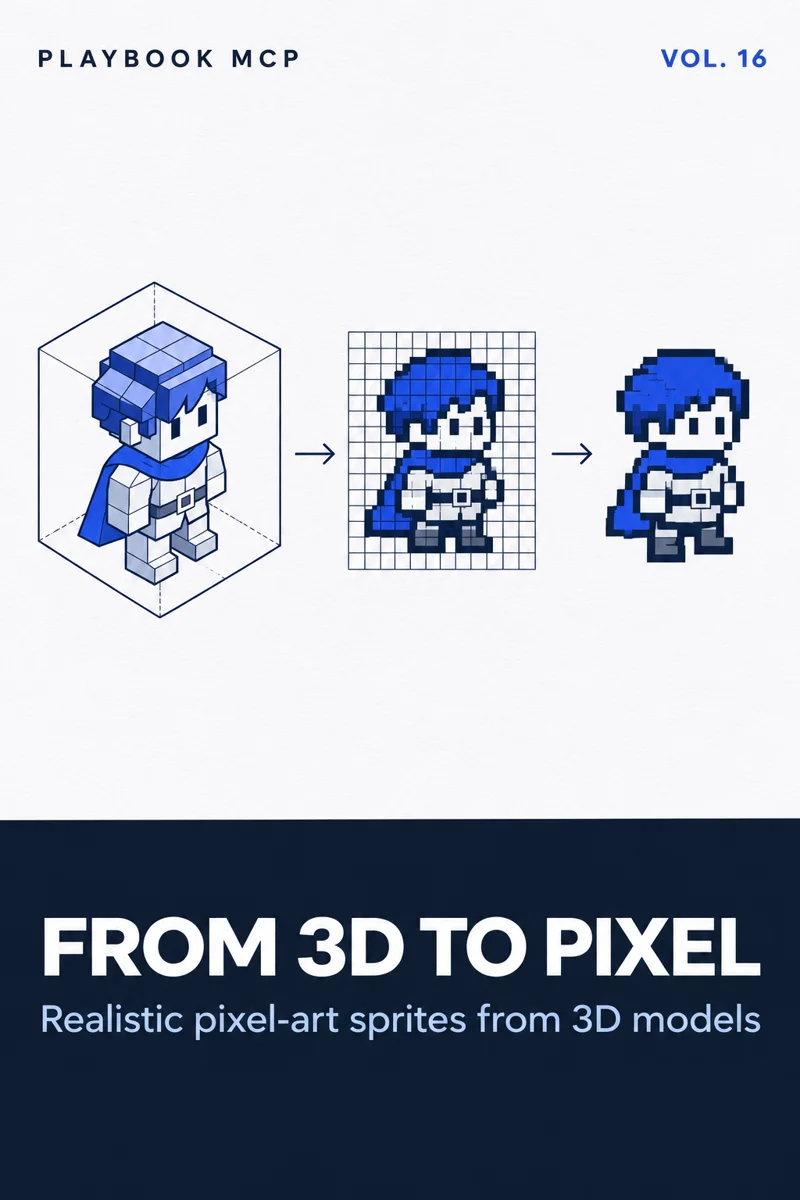
From 3D to Pixel
Hand-Made-Looking Pixel Art Sprites, Rendered From 3D
$29 $5.80 Save 80%
Instant digital delivery. About 11k words.
About this playbook
Realistic pixel-art sprites from 3D models
Drawing every frame of an eight-direction character by hand can mean hundreds of frames. Rendering 3D models down to sprites is a proven answer, but first attempts often come out muddy, full of colors, broken at thin parts and shimmering in motion. This playbook is built on one rule: make the render hard and simple before you shrink it, then clean it at its final size.
A thirteen-step pipeline covers art direction, models, an orthographic camera, lighting, low-resolution rendering, palette mapping, outlines, cleanup in Aseprite, animation, sprite sheets and pixel-perfect import into Godot, Unity or GameMaker. Advanced chapters cover layered characters and automating the whole chain, with an AI agent writing and running the scripts and checks.
Who it's for
- Indie developers who need many sprites without drawing every frame
- Technical artists building a repeatable sprite pipeline
- Experienced creatives moving into game art with AI tools
- Teams using Blender with Godot, Unity or GameMaker
- Anyone whose 3D renders look blurry or muddy as pixel art
What you'll be able to do
- Write a one-page style sheet with target size, view, tones and outline rule
- Prepare models with silhouettes and thin parts that survive shrinking
- Set up an orthographic camera with fixed pixels per meter and one light
- Render frames with binary alpha and map them to a shared palette
- Generate outlines and cleanup by script, keeping hand fixes as patches
- Choose animation frames deliberately and reduce shading shimmer
- Import sprite sheets that match the source pixel for pixel
- Rebuild every sheet with one command and an automated quality report
What's inside
Inside this volume
- 01
Why 3D-to-pixel fails
Mud, too many colors, lost silhouettes, boiling, mismatched light and engine blur, and what a good result looks like.
- 02
Art direction and target size
Base resolutions, character heights, tone counts, frame rate and a mock-up frame before any pipeline work.
- 03
Models for pixel output
Modeling, kitbashing or generating with AI, rigging, and rules for exaggeration, flat color and removing small detail.
- 04
Camera and lighting
Orthographic setups for side, top-down and 2:1 isometric views, rotating the character, and one hard key light with controlled AO.
- 05
Rendering at low resolution
Native rendering without anti-aliasing or a fixed deterministic downscale, binary alpha, render passes and batch rendering.
- 06
Palette, ramps and dithering
A project palette, hue-shifted ramps, nearest-color and per-material tone mapping, and dithering that does not flicker.
- 07
Outlines and cleanup
Outer, selective and inner outlines by script, automatic orphan removal and small, repeatable Aseprite touch-ups.
- 08
Animation from 3D rigs
Choosing key poses instead of even sampling, smear frames, reducing boiling, pivots and frame budgets.
- 09
Sprite sheets and engine import
Grid layout, padding, pivots and JSON data, plus pixel-perfect import settings for Godot, Unity and GameMaker.
- 10
Layered characters
Aligned layers, shadows through holdout, per-frame draw order, palette recoloring and outlines on the composite.
- 11
Automation, AI and quality checks
The pipeline as code, what an agent does well, careful use of generative images, and automated checks with a baseline.
- 12
Prompts and checklist
A technical-artist main prompt, fifteen focused prompts and a full pipeline checklist.
Use it with your AI agent
Ask for the work. Your agent follows the playbook.
Install the Claude skill or connect the MCP with your license key. Then ask in plain language:
- “Open my model in Blender headless, render it at 64 px with flat lighting, and report every part thinner than 2 px with concrete model edits.”
- “Write scripts/process.py that applies binary alpha, per-material tone mapping and a 4-neighbor outline, and show me before and after crops.”
- “Measure the boiling score for the walk animation, try hysteresis and a 3-frame temporal median, and show me the best two at 1x.”
Questions
FAQ
Which tools does it use?
Blender for modeling and rendering, Aseprite or a similar pixel editor for cleanup, Python with Pillow and NumPy for processing, and Godot, Unity or GameMaker as the engine.
Does it rely on AI image generators?
No. The core pipeline is deterministic. Generative images are covered as style references, concepts and single props, not as the renderer for animated characters.
Do I need to be a 3D artist?
No. Models can be your own, kitbashed from licensed parts or generated as drafts. The playbook explains how to prepare any of them for pixel output.
Will my sprites look hand-drawn?
The method aims for clean, readable sprites with a limited palette and a short cleanup pass. You judge the result against your own mock-up and golden test character.
Does it cover customizable characters?
Yes. An advanced chapter covers layered, modular characters with aligned layers, shadows, draw order and palette recoloring.
Better together
The Game Maker's Grimoire
Design, make and launch games with AI.
$261 $9.80 Save 96%