NewVol. 30 · Published Nov 21, 2026 · Book + Claude skill + MCP
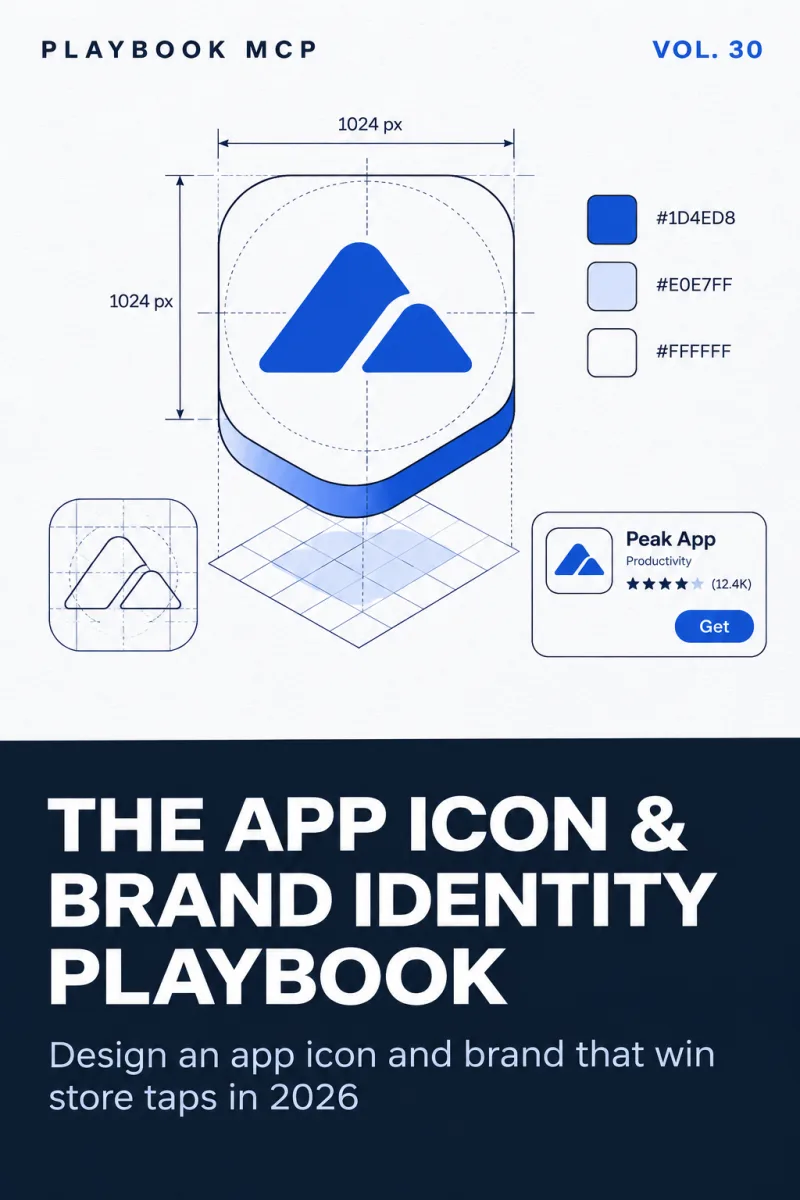
The App Icon & Brand Identity Playbook
Design, Test and Ship an App Icon and Brand That Stand Out in the Store
$29 $5.80 Save 80%
Instant digital delivery. About 16k words.
About this playbook
Design an app icon and brand that win store taps in 2026
Most app icons fail at 40 px, disappear among category look-alikes or break when iOS tints them or Android themes them. The App Icon & Brand Identity Playbook replaces taste debates with an eight-step method that starts from positioning and ends with a verified release.
You define the one idea the icon must carry, audit the icons around yours, explore concepts with AI and sketching, redraw a clean master symbol, and build separate Apple, Android, Google Play and web assets. It follows Apple's layered icons and Liquid Glass, Android's themed icons and the current store experiment tools, plus a minimal brand kit, prompts and a pre-submission checklist.
Who it's for
- Founders and indie developers shipping iOS or Android apps who need a credible icon without hiring an agency
- Small product teams preparing an icon refresh or a family of related apps
- SaaS teams that want the store icon, website logo, favicon and product UI to match
- In-house professionals building internal company apps that must be easy to tell apart
- Teams using AI agents for design work who want clear approval gates and evidence
What you'll be able to do
- Write a one-page icon brief with exactly one core idea and a recognition task
- Audit 15 to 30 category icons at real size and find white space that copies no one
- Generate and shortlist concepts with AI using prompts that avoid imitating competitors
- Redraw an AI or sketch concept as clean vectors that work in one color and at 16 px
- Produce Icon Composer or asset-catalog icons, Android adaptive layers with monochrome, a 512 px Play icon and web icons
- Check the icon in Apple's default, dark, clear and tinted looks and Android's themed mode
- Run recognition tasks and plan Apple PPO or Google Play listing experiments with a decision rule set in advance
What's inside
Inside this volume
- 01
Why app icons fail in 2026
The separate jobs an icon does, what changed with Liquid Glass, Android themed icons and store experiments, and the common mistakes.
- 02
Before you start
Roles, tools and access, a 20-item intake checklist, a project record and an evidence register that separates requirements from hypotheses.
- 03
Define the recognition job and audit the category
A one-page brief, five metaphor routes with decision rules, and a scored competitor audit at real sizes.
- 04
Explore concepts with AI and sketching
Prompt patterns for metaphor, style and differentiation sweeps, a shortlist scorecard and the limits of AI on originality and ownership.
- 05
Construct the master symbol and build platform assets
Vector cleanup, palette and contrast targets, optical sizes, and specs for Apple, Android adaptive, Google Play and web manifests.
- 06
Logo system and minimal brand kit
Symbol, wordmark, lockups, a one-page brand kit template, tone examples and rules for app families.
- 07
Test recognition and run store experiments
Visual stress tests, task-based sessions, five-second recall and test plans for Apple PPO and Google Play experiments.
Use it with your AI agent
Ask for the work. Your agent follows the playbook.
Install the Claude skill or connect the MCP with your license key. Then ask in plain language:
- “Read our store listing and product description, then draft a one-page icon brief with a single core idea and what the icon must not imply.”
- “Score these 20 competitor icon screenshots by hue, symbol type, shape count and finish, and write three white-space statements.”
- “Write a Node script with sharp that exports every raster in our delivery table from the master SVGs and validates size, color profile and alpha.”
- “Check our Android project for foreground, background and monochrome launcher layers and list anything missing before release.”
Questions
FAQ
Does it cover Apple's Liquid Glass and layered icons?
Yes. It explains the default, dark, clear and tinted appearances, when to use an Icon Composer file or a flat bitmap, and how to set material effects in Icon Composer instead of baking them in.
Can AI design my icon for me?
AI is used to widen the search for concepts, write audits and export scripts. The playbook asks a person to make the final taste decision, redraw the mark as clean vectors and check originality.
Does it include legal or trademark advice?
No. It covers similarity checks, recording AI tool terms and keeping working files, but it tells you to consult an intellectual property attorney for rights questions.
Do I need a lot of store traffic to use it?
No. Lab checks such as size ladders, grayscale tests and recognition tasks work without traffic. Native store experiments are recommended only where traffic allows, and can be deferred with a reason.
Does it cover screenshots and keyword optimization?
No. It focuses on the icon and brand identity and only touches store listings, websites and product UI where they must stay consistent with the icon.

Better together
The Builder's Codex
Design, build, polish and ship apps with AI agents.
$551 $15.80 Save 97%